Skip to content

Document Management System

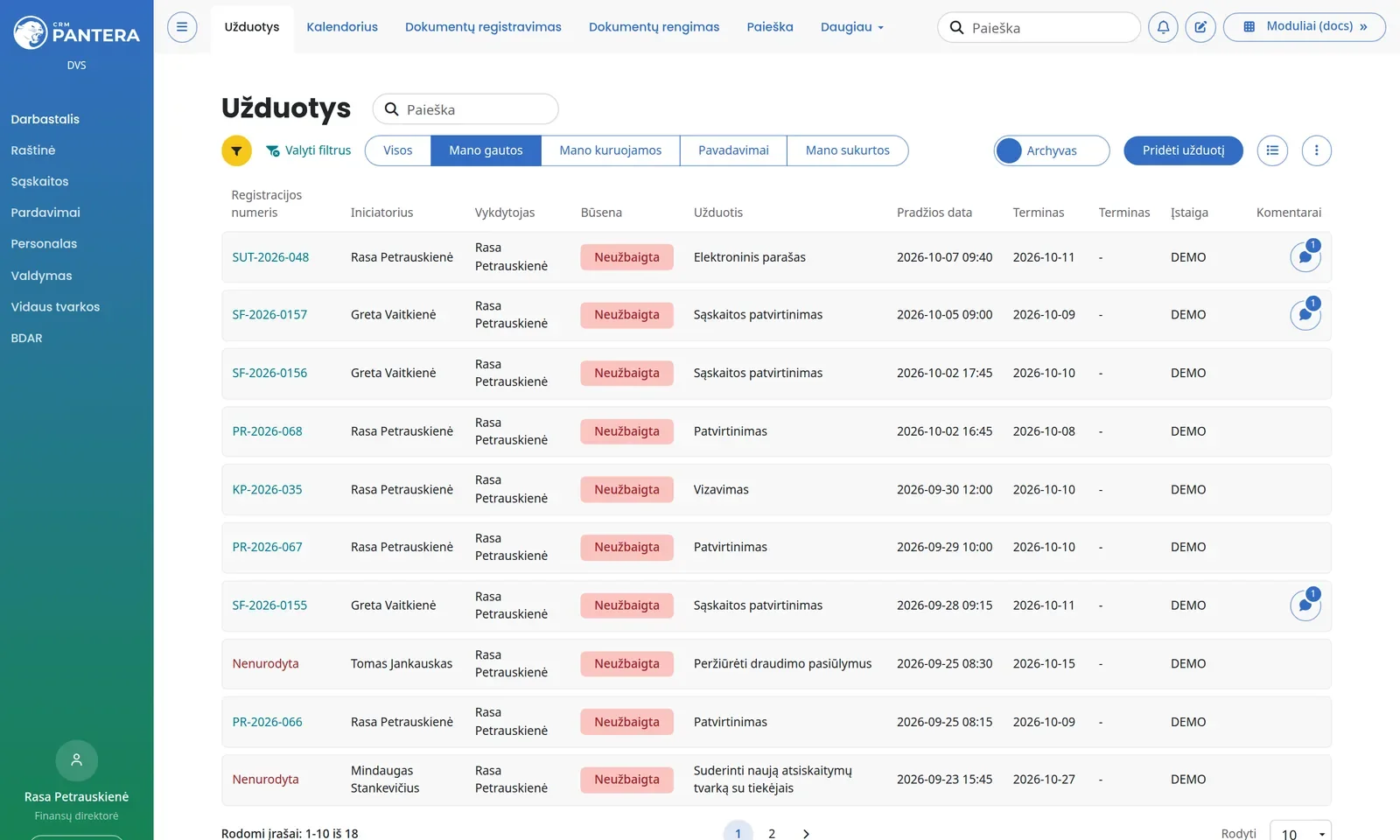
A web-based document management system (DMS) for your company: registration of incoming invoices and letters, OCR and AI recognition, endorsement and approval chains, contract control, electronic signing, archive.
Registers, fields and processes are configured to match the way your company works, without programming. The system already manages over 3,200 document registers for more than 60 companies, and when needed several related companies can work in one installation.

Why choose our DMS?

Purchase invoice automation

The most common starting point is the incoming invoice flow. The system covers it from the e-mail to the accounting entry:

  1. Receipt. Invoices arrive automatically from a mailbox (Outlook / IMAP), the national e-delivery system, an API or bulk import – no manual uploading.
  2. Recognition. OCR and an AI service read the supplier, invoice number, date, amounts with and without VAT, due date and currency; duplicate control stops a repeated invoice.
  3. Dimensions. Cost centres, projects and other accounting dimensions are assigned to the invoice or its lines – the fields are configured to match your accounting structure.
  4. Approval workflow. A task template defines the approvers, their order and deadlines; overdue approvals are reminded, and a deputy receives the tasks automatically. Every invoice has a status and a full action history.
  5. Transfer to accounting. The approved invoice with its dimensions is passed to the accounting system. Microsoft Business Central is synchronised two-way (suppliers, items, invoices, dimensions, VAT); other Microsoft Dynamics and accounting systems are connected through an API or a data exchange interface built to order.

Internal document management

Orders, requests, minutes, acts, procedures and contracts are handled in the same registers:

  • Preparation from document templates with input fields, validations and letterheads, automatically linked to the register.
  • Registration with series-based numbering, stamping and classification (public / internal / confidential).
  • Endorsement, approval and acknowledgement through tasks for users or groups: endorsement order, comments, approval, rejection, deadlines and reminders.
  • Qualified electronic signing with Mobile-ID, Smart-ID or LT ID, electronic seal, PDF and ASiC-E containers; signers and signature format are stored.
  • Access rights by roles and registers, down to registers visible only to assigned employees.
  • Search with a full-text engine – in fields and in document content.
  • Archiving and audit history: automatic archiving by retention period, files, an action log for every document.

Contract management and endorsement

The contract register stores the counterparty, validity start and end dates, the responsible employee, annexes and related documents – amendments, handover acts, invoices. The system reminds a set number of days before expiry and notifies once the term has passed, so no contract lapses unnoticed.

Review runs through an endorsement chain defined by a task template: for example, the lawyer endorses, the finance manager endorses, the director approves. Endorsements can run in sequence or in parallel, each with its own deadline and reminder. An endorser comments, endorses or rejects, and if absent, the deputy takes over the endorsement automatically. Every endorsement with its date, person and comment stays in the contract history. The approved contract is signed with a qualified electronic signature (Mobile-ID, Smart-ID, LT ID) and, once the process is complete, can be archived automatically.

Document registers, the core of the system

A register is a configurable document table with its own fields, numbering and rules. Registers are created without programming, through the administration interface.

  • Structure. Registers are grouped into a tree of up to three levels (e.g. "Office" → "Letters" → "Incoming"), can inherit fields from another register or act as a file catalogue.
  • Fields. About 55 field types: text, date, period, money, IBAN, personal ID, selection lists, tables, links to employees, customers, suppliers, organisations, vehicles, objects or assets, plus invoice fields (amounts with and without VAT, due date, currency, BC365 dimensions). Each field can be required, hidden, masked, given a default value, checked for duplicates or filled by a recognition rule.
  • Numbering and stamping. Document series, starting number, counter length, yearly or daily reset. On registration a stamp with the number and date is placed on the document automatically.
  • Automatic recognition. Uploaded documents are processed by OCR and fields (date, number, supplier, amounts) are filled from the content. Keywords assign the document to a register, and an AI service refines the recognition.
  • Reminders and notifications. Date fields (contract validity, payment due date) trigger reminders N days ahead and notifications after the deadline; register recipients are informed about every new document.
  • File preview. Documents open directly in the browser, without downloading: PDF, DOCX, XLSX, PPTX, DWG, ASiC-E, ADOC, MSG, EML, TIFF. Files are stored on the server, in AWS S3 or a WebDAV storage.
  • Control. Information classification (public / internal / confidential), duplicate control, automatic archiving after a workflow, an action log for every document.

Document lifecycle

  1. Receipt. Manual upload, mailboxes (Outlook / IMAP) with automatic attachment registration, the national e-delivery system, bulk ZIP import, API from other systems, scanning queue.
  2. Registration. OCR / AI recognition, field filling, register selection, numbering, stamping, duplicate control.
  3. Tasks and execution. Task templates with executors, order, deadlines and control dates. Executors comment, approve or reject; overdue tasks are reminded by e-mail and escalated, completed ones close automatically, and the substitution module hands tasks over to the deputy.
  4. Processes. For more complex flows, process templates with forms, linked fields and steps; a completed process can archive the document automatically.
  5. Signing. Qualified electronic signature with Mobile-ID, Smart-ID or LT ID, or an electronic seal; PDF and ASiC-E containers; the signature format, signers and registration link are stored.
  6. Archiving and destruction. Automatic transfer to the archive after a set period, grouping into files by organisation or person, retention period control and destruction acts with document lists.

Typical registers for any company

GroupRegisters
OfficeIncoming and outgoing letters, orders, powers of attorney, certificates, requests, acts
ContractsContracts, preliminary contracts, offers, handover and return acts
HREmployment contracts, HR orders, job descriptions, employee documents, training, instructions
Accounting and financeIncoming and outgoing invoices, bank statements, waybills, financial statements
Purchases and salesProcurement documents, offers, orders, sales documents
GovernanceShareholder and board decisions, procedures, rules, policies, processes
GDPRRecords of processing activities, impact assessments, security measures, incidents
Safety and riskOccupational safety, fire safety, professional risk, non-conformities, business continuity
Assets and legalReal estate, vehicles, IT equipment, permits, legal disputes
ArchiveArchive documents, retention periods, destruction acts

General modules

  • Dashboard – my tasks, pending documents, reminders.
  • Search – full-text search across document content and fields in all registers, saved filters.
  • Calendar – deadlines, reminders, Teams meetings, absence calendar.
  • Employees, leave and substitutions – employee cards and documents, medical check-up reminders, appraisal campaigns, absence requests and approval, automatic task handover to the deputy.
  • Entities – customers, suppliers, contacts; company data verified against the Rekvizitai.lt register.
  • Document preparation – generating documents from templates with variables, validations and letterheads.
  • Web form builder – forms with steps and validations, responsible person chosen by conditions, submission history.
  • Resource booking – rooms, workplaces and vehicles in a shared calendar.
  • Files and objects – document collections by person, organisation or object with their own access rights.
  • Projects and kanban – task boards, comments, annotations.
  • Summaries and reports – invoice, unpaid invoice, storage and indexing reports by e-mail; a report and chart builder with configurable data sources.

Domain modules

Enabled on demand: transport (insurance, maintenance, fuel consumption from Neste and Funn cards), equipment (measuring devices, power plants, inspections), assets, warehouse, customers and suppliers (CRM) with contracts, orders and price lists, sales and finance (invoices, prepayments, payments, debt reconciliation) with two-way synchronisation with Microsoft Business Central, trademarks and licences, permits.

Integrations

SystemPurpose
Microsoft Business Central (BC365)Customers, suppliers, items, invoices, orders, dimensions, VAT
Outlook / IMAP, e-deliveryReceiving documents from e-mail and the national e-delivery system
Qualified e-signatureMobile-ID, Smart-ID, LT ID, electronic seal; PDF and ASiC-E containers
Microsoft 365Single sign-on (SSO) via Azure, Outlook mail, Teams meetings in the calendar
SMS (Telia)SMS notifications from templates with variables
File storageAWS S3, WebDAV
Rekvizitai.lt, exchange ratesCompany register data, daily rate updates
Neste, FunnFuel card transactions
AI serviceDocument content recognition
REST APIJWT authentication, versioned routes for registers, documents, tasks, employees, customers

Several companies in one system

For a group of companies or a provider of accounting and document handling services, the system can serve several companies in one installation. Each company has its own register tree, numbering, field sets, search index, users, permissions, colours and logo, and an employee sees only the companies and registers they are entitled to. The administrator manages all companies from a single administration area. Today more than 60 companies work this way, with around 3,200 registers and over 20,000 configured fields.

Who already works with the system

The system is used daily by banks, insurance companies, energy project developers, healthcare institutions, manufacturing, retail, transport and IT companies. The platform has been proven with very different document flows, volumes and security requirements, and with some clients we jointly develop integrations with their accounting, identity management and archiving systems.

Security and compliance

Roles, profiles and permissions down to a menu item or register, groups and departments, IP address restrictions, password policy and login blocking, masked personal data fields, document confidentiality classification, full action audit (actions, logins, API calls, errors), retention period and destruction act accounting. The system is adapted to GDPR: separate registers for processing records, impact assessments and incidents.

Technology

PHP 8 (PANTERA framework), MS SQL Server, Manticore full-text search engine, TypeScript user interface. The system is multilingual: the interface is translated, and register and field names can be in the national language or English.

Have an idea? Let's turn it into reality!

From the initial conversation to a working product — we work as one team. You know what you want. We know how to do it.