Skip to content

Kindergarten and School Admission System

Online applications to kindergartens and schools. Parents log in via the e-Government Gateway, choose institutions and mark priorities, and the system builds the queues according to the municipality's admission rules.

Institutions see their groups and applicants, and parents see their child's place in the queue.
View features
  • Application via the e-Government Gateway
  • Child's data from the Population Register
  • Queues are formed automatically
  • Kindergartens, schools and camps

What changes

  • Without the system: Parents take applications to each kindergarten separately.
    With the system: One online application - several institutions chosen in order of preference.
  • Without the system: Queues are kept in spreadsheets, a separate one for each institution.
    With the system: Queues for all institutions are formed automatically, using the same rules.
  • Without the system: Priorities are checked against paper certificates.
    With the system: The child's details and place of residence are taken from the Population Register.
  • Without the system: Parents do not know their place in the queue.
    With the system: Parents see their child's place in the queue and free places in groups.

Features

Queues and groups

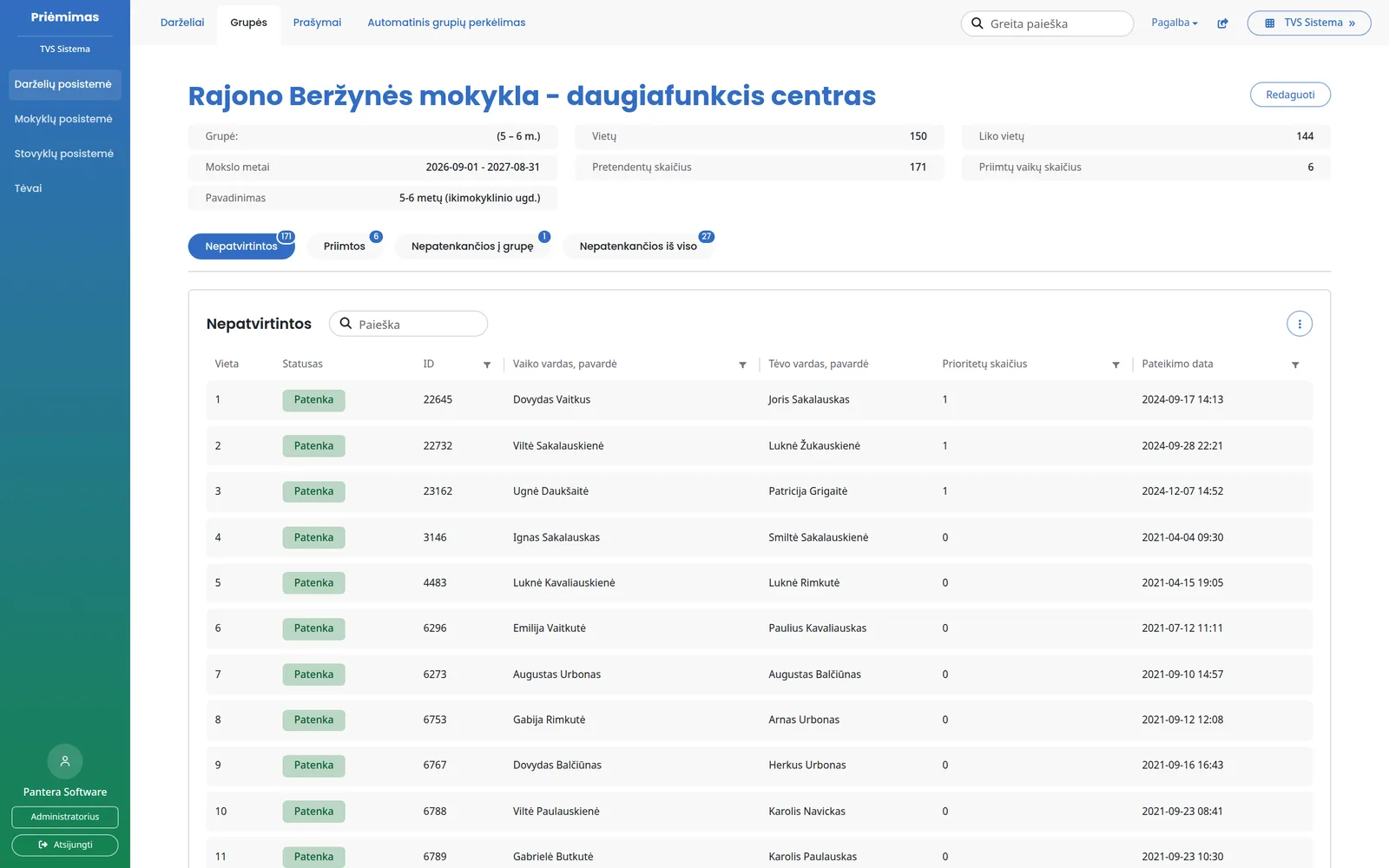
A queue is formed automatically for each group.

  • First the institution chosen by parents, then the number of priorities, then the submission date
  • When a child gets a place at a more preferred institution, they are removed from the other queues
  • For each group you can see places, applicants, admitted children and remaining places
  • The queue is updated every minute

Applications

All applications by year, institution and status.

  • A staff member confirms the child into a group, and parents receive an e-mail
  • A staff member can also submit an application on behalf of parents - data is taken from the register
  • The list of approved applications can be downloaded to Excel
  • Application history: groups and priorities

Application card

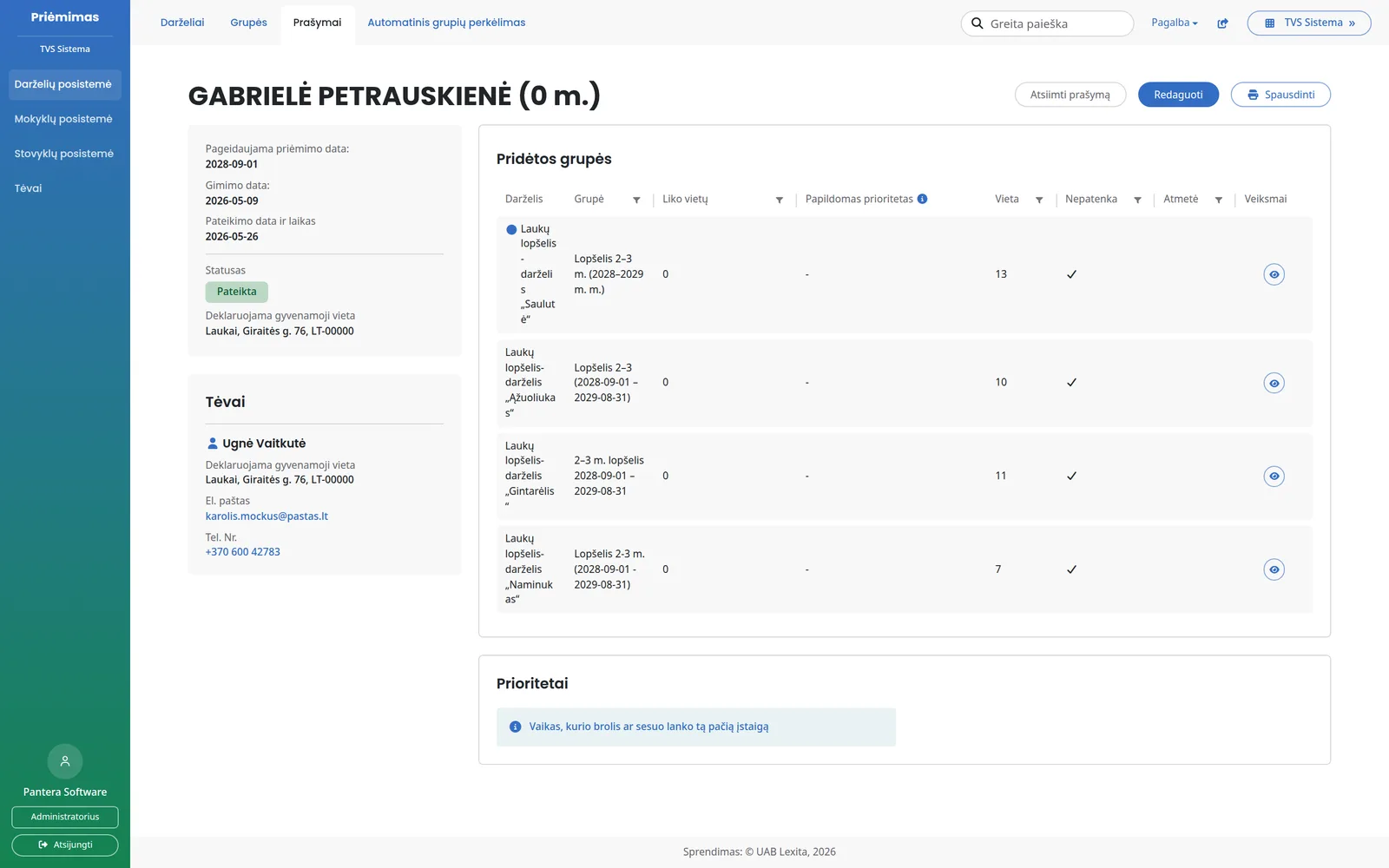
Details of the child, the parents and the selected groups in one place.

  • Preferred admission date and declared place of residence
  • Selected groups with queue position and free places
  • Priorities with attached certificates
  • The application can be printed

Institutions

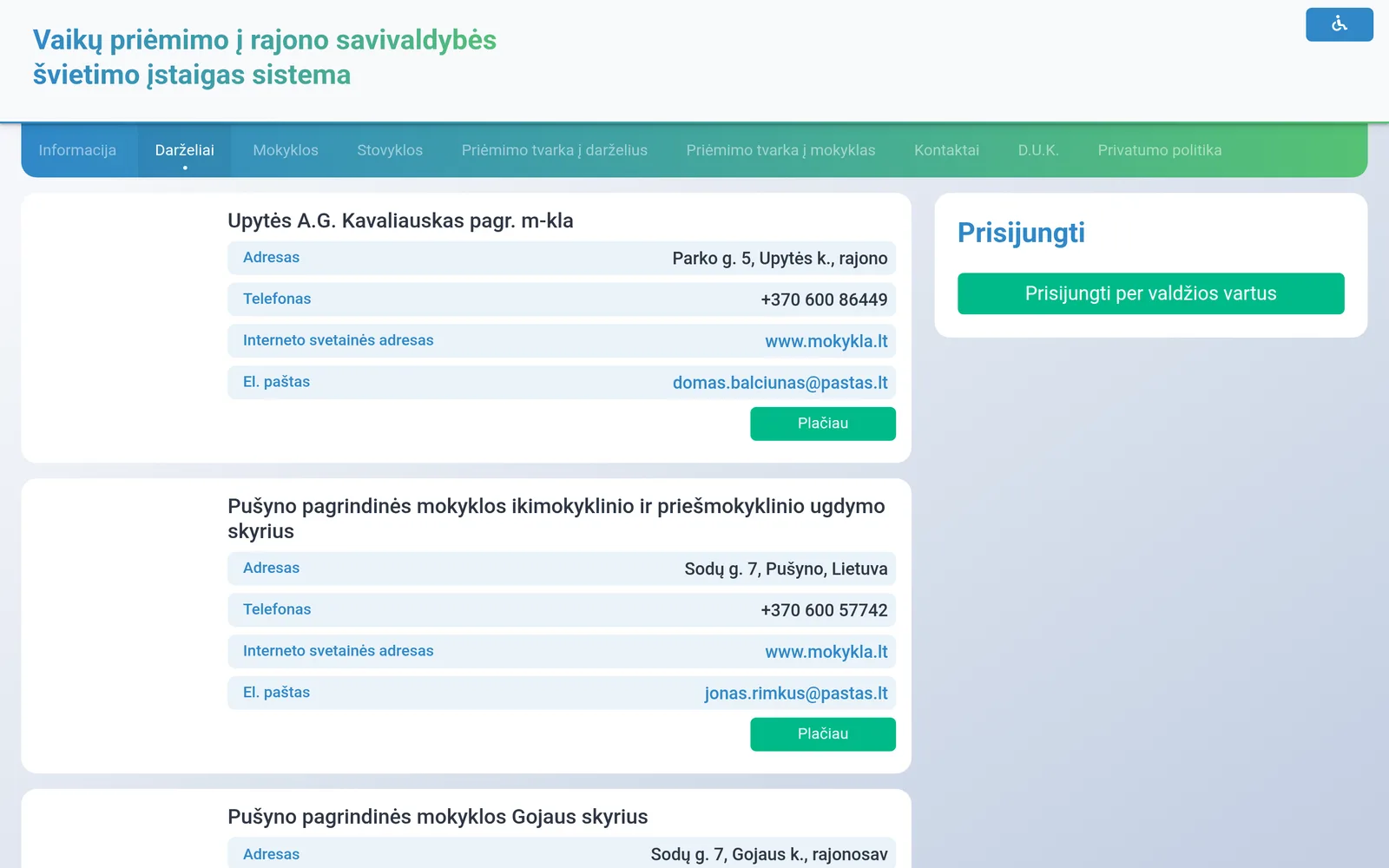
Each institution has its own page on the website.

  • Opening hours, contacts, description and gallery
  • Groups with the number of free places
  • Institution location on the map
  • Responsible staff see only their own institution

Admission periods

Each school year has its own deadlines.

  • When applications to kindergartens and schools can be submitted
  • The list of priorities is changed in the settings
  • Limit on the number of institutions that can be chosen

Other modules

Priorities

According to the municipality's admission rules.

  • Large families, disability, social benefit and others
  • A brother or sister already attends the same institution
  • Certificates are attached to the application

Admission to schools

The same system - for first-graders too.

  • Classes and their places
  • Catchment areas by street
  • Separate priorities for schools

Summer camps

Online registration for camps.

  • Invitations and registrations
  • Participant surveys
  • List export

Transfer to another group

For the new school year.

  • Children are automatically moved up to an older group
  • Transfers within the same institution
  • Transfer request history

Notifications

Parents and institutions know what has changed.

  • E-mail when an application is submitted and approved
  • To the institution - about a new application
  • E-mail confirmation for parents

Permissions

Everyone sees what they need.

  • The municipality administrator sees everything
  • An institution staff member sees only their own institution
  • Accessibility mode on the website

Who it is for

  • For the municipality

    Queues and admissions for all institutions under one set of rules.

  • For kindergartens and schools

    Their own groups, applicants and admitted children.

  • For parents

    Apply online and see your child's place in the queue at any time.

Integrations

Maps

Institution locations on the map.

Email

Parents receive an e-mail when their child is confirmed into a group.

Frequently asked questions

Didn't find an answer? Write or call us - we'll be happy to help.

As many as the municipality allows - for example, up to three or four. The order of choice shows which institution is most preferred.

By the institution chosen by the parents, the number of priorities and the application submission date. When a child gets a place at a more preferred institution, they are removed from the other queues.

Yes. The account shows the child's place in each selected group and the number of free places.

A municipality or institution staff member confirms the child into a group, and the parents receive an e-mail.

Yes. The same system handles admission to schools by catchment area, as well as registration for summer camps.

We will show you how admission works in your municipality

In a short demo we will show the application, the queues and admission to groups, and discuss how to adapt it to your admission rules.

+370 657 58414