Skip to content

Tourist Tax Declaration and Payment System

Accommodation providers declare overnight stays and pay the tourist tax online, while the municipality sees all declarations, payments and debts in one place.

The tax is calculated automatically, and those who have not declared are identified from the Register of Licences.
View features
  • Login via the e-Government Gateway
  • The amount is calculated automatically
  • Payment in the system
  • Connection to the Register of Licences

What changes

  • Without the system: Declarations are sent by e-mail or on paper and entered by hand.
    With the system: The accommodation provider declares on their own after logging in via the e-Government Gateway.
  • Without the system: Everyone calculates the tax themselves, and errors are corrected through correspondence.
    With the system: The amount is calculated immediately, based on overnight stays and discounts.
  • Without the system: Payments are matched to declarations using bank statements.
    With the system: The declaration is paid in the system, and bank transfers are matched from the statement - the status is visible to both sides.
  • Without the system: It is unclear who should have declared but did not.
    With the system: Non-filers are identified from the Register of Licences and receive reminders.

Features

Declarations and payment

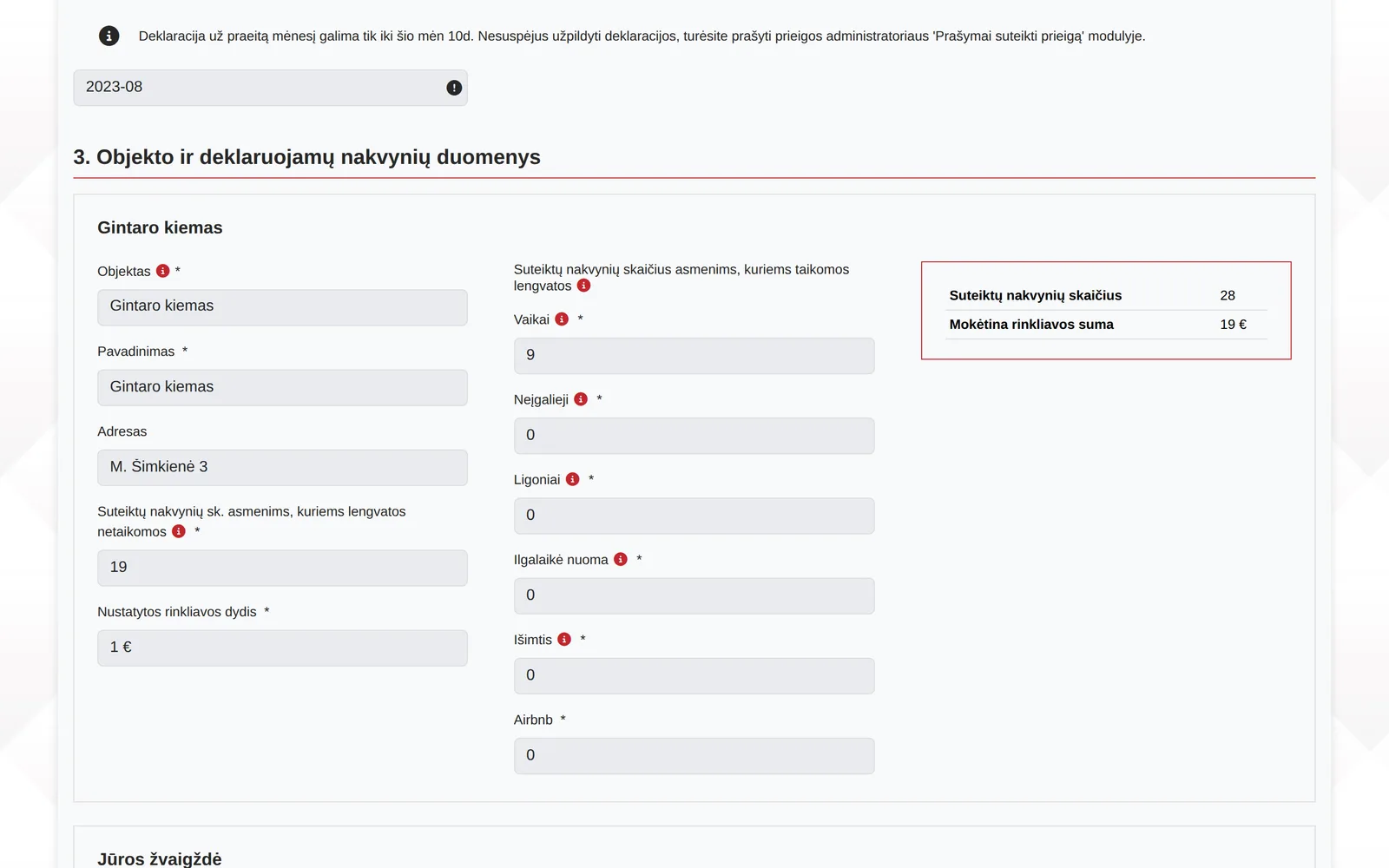
Each month the declarant enters overnight stays, and the system calculates the tourist tax due.

  • Overnight stays by discount group, for example children, people with disabilities, persons receiving treatment, long-term rental
  • The amount is recalculated immediately, based on the tax rate set by the municipality
  • Several declarations can be paid at once
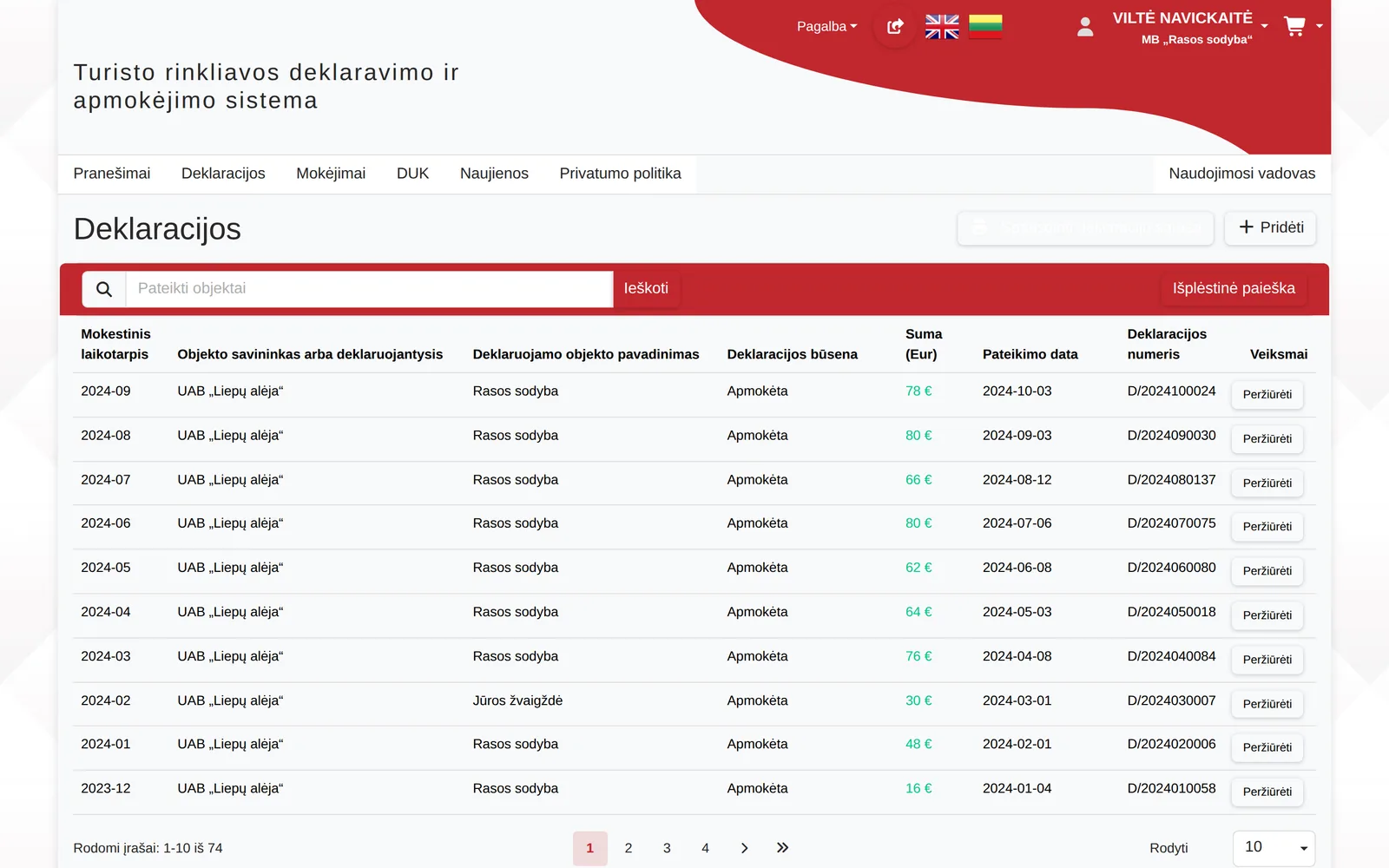
  • Statuses: unpaid, awaiting payment, paid, partially paid
  • All your declarations in one place, with search

Properties and authorisations

The declarant manages their accommodation properties and authorises other people.

  • A property with its name, address, category and licence number
  • Property data is used when filling in each declaration
  • Authorisation for a representative or accountant with a validity period
  • See who you have authorised and who has authorised you

Administration

Municipal staff see all declarations and their payment status.

  • Search by number, period, property, address, owner or status
  • The declaration card shows the amount due, the amount paid and the balance
  • Payments and notes are recorded against the declaration
  • The list can be downloaded to Excel

Who must declare

The list of accommodation providers is retrieved from the Register of Licences.

  • Licences are updated automatically every day
  • Legal entities and natural persons separately
  • See who has submitted a declaration and who has not

Reports

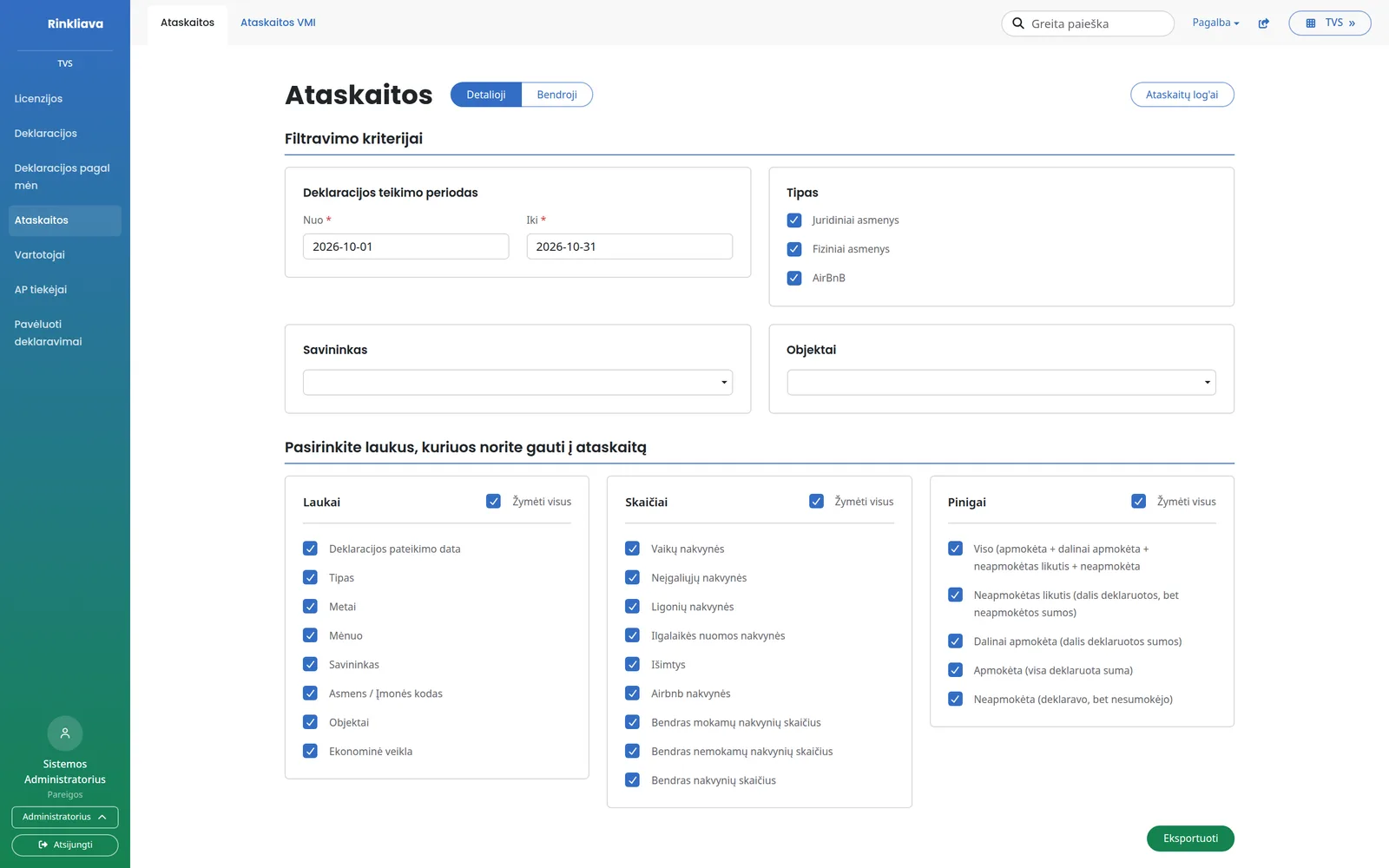
You build the report yourself: choose the period, declarant type and fields.

  • Detailed and summary reports
  • By owner, property, legal entities or natural persons
  • Overnight stays by discount, amounts paid and arrears
  • Downloadable to Excel

Late declarations

After the deadline, the declarant requests access and the municipality grants it.

  • Access requests in the system, not by e-mail
  • Access is granted for a specific month and period
  • The declarant is notified by e-mail

Other modules

Reminders

The system sends reminders itself, so staff do not have to.

  • To those who have not submitted a declaration
  • To those who have not paid
  • After the licence update

Bank statements

Payments are matched to declarations.

  • A bank statement is uploaded, and the same payment is never uploaded twice
  • Payments are selected by the payer's company code
  • A payment is matched to one or more declarations

Monthly statistics

How much has been collected and who has not yet submitted.

  • Amount collected and number of overnight stays
  • Declarations and declared properties
  • List of non-filers

Notices and news

Information for declarants in one place.

  • Messages to declarants
  • News and FAQ
  • User guides

Rentals via platforms

Overnight stays sold through short-term rental platforms.

  • Declarations are entered by a municipal staff member
  • A separate declaration form
  • Shown in the general list of declarations

Activity log

Every export and change is recorded.

  • Who downloaded a report and when
  • Declaration notes and history
  • Separate permissions for each role

Who it is for

  • For the municipality

    All declarations, payments and arrears in one place.

  • For accommodation businesses

    Hotels, guest houses and other accommodation providers.

  • For residents

    For those renting out housing short-term under a business certificate.

  • For representatives and accountants

    They declare on behalf of a company or resident under an authorisation.

Integrations

Bank statements

Payments from the bank statement are matched to declarations.

Payment partners

If needed, we connect another payment service, such as NeoPay.

Other systems

Declaration data is available to other municipal systems through an interface.

Frequently asked questions

Didn't find an answer? Write or call us - we'll be happy to help.

Via the e-Government Gateway - no separate registration or new passwords.

The declarant enters overnight stays by discount group, and the system immediately calculates the amount based on the tax rate set by the municipality.

The list of accommodation providers is retrieved from the Register of Licences. The system shows who has not submitted a declaration and sends reminders.

Yes. The authorisation is granted in the system, with its validity period specified.

The declarant requests access in the system, and a municipal staff member grants it for the specified month.

Yes. We align discount groups, the tax rate, deadlines and reminders with your municipality's rules.

We will show you how your accommodation businesses declare

In a short demo we will show you declaring, payment and reports, and discuss what needs to be adapted.

+370 657 58414