Skip to content

Electronic Permit Issuance and Service Management System

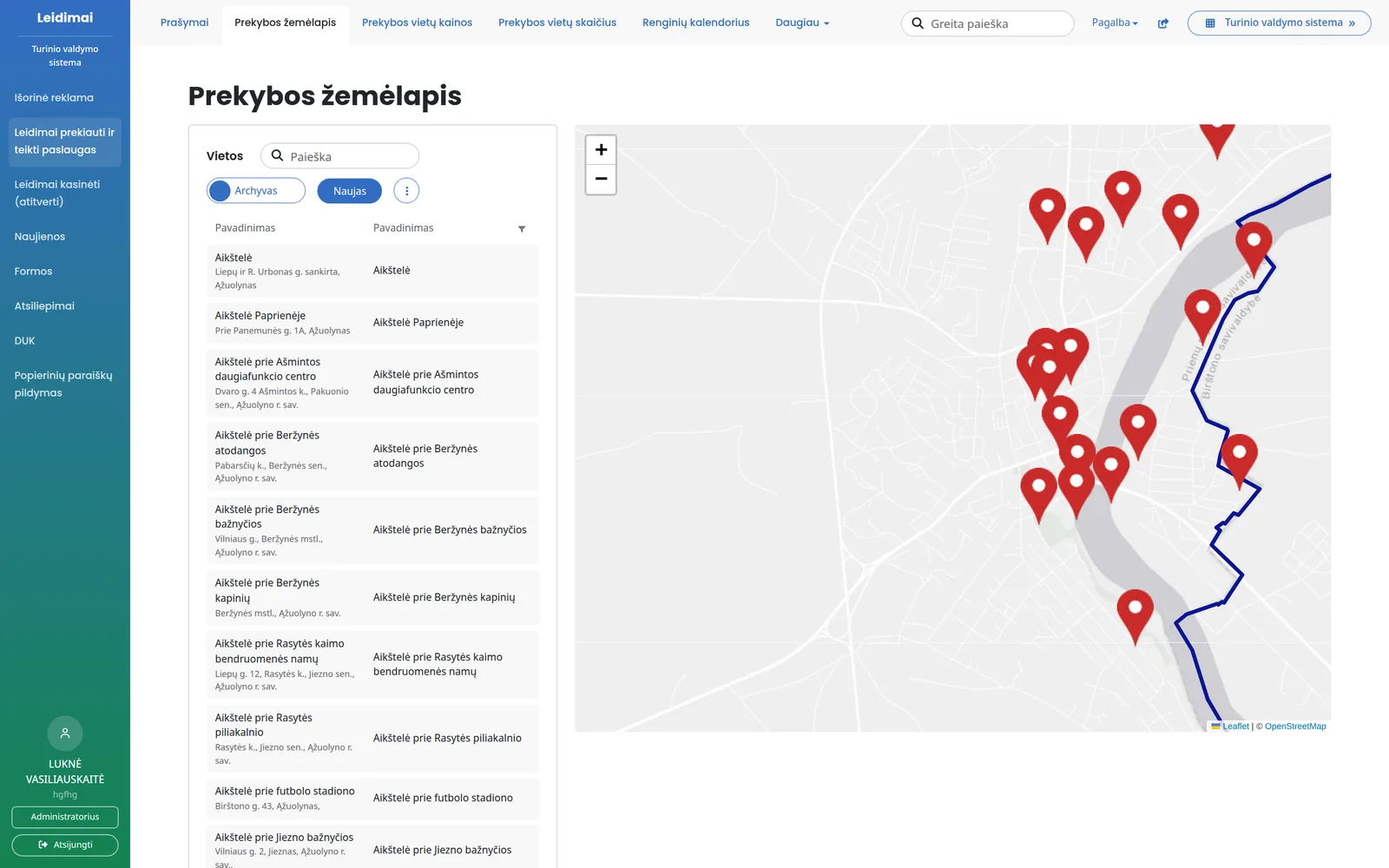
Permits for trading, services, outdoor advertising and excavation (fencing off) - online. Applicants pick the location on a map, the price is calculated immediately and the permit is issued as a PDF document.

Municipal staff review applications in one place and see their full progress and payments.
View features
  • Trading, services, advertising and excavation
  • The location is chosen on the map
  • The price is calculated automatically
  • Login and payment via the e-Government Gateway

What changes

  • Without the system: Applications are submitted on paper or by e-mail, with plans and photos attached.
    With the system: The applicant fills in the application online and chooses the location on the map.
  • Without the system: Staff calculate the price by hand using a rate table.
    With the system: The price is calculated immediately based on location, area and period.
  • Without the system: Payments are checked against bank statements.
    With the system: Payment is made via the e-Government Gateway, and the payment is shown next to the application.
  • Without the system: The permit is prepared in a Word document and sent separately.
    With the system: The permit is generated from a template, and the applicant downloads it from their account.

Features

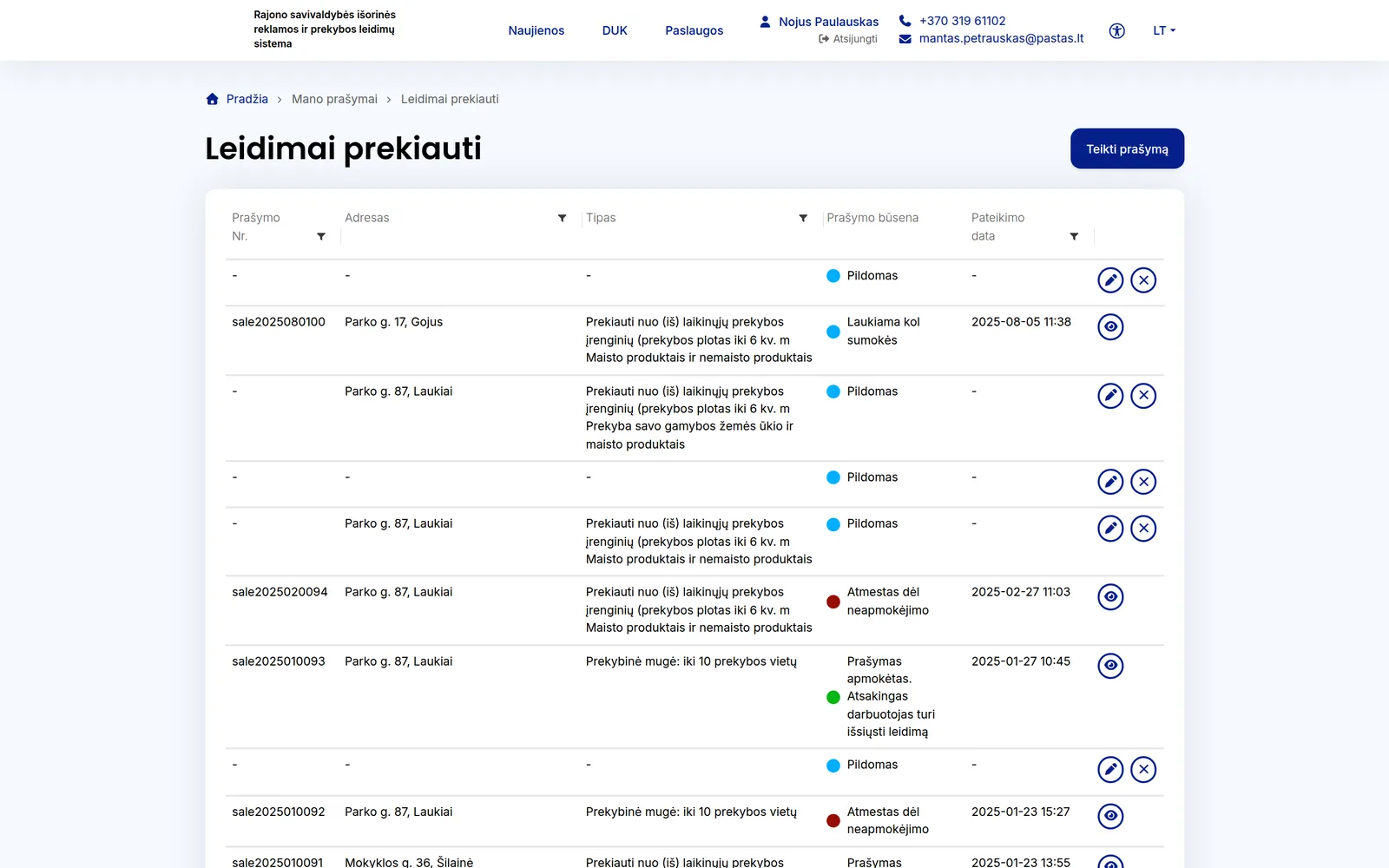
Applications in one place

All permit applications with statuses, deadlines and responsible staff.

  • Permits for trading and providing services, outdoor advertising and excavation (fencing off)
  • The application goes to the responsible department or eldership, and the staff member receives an e-mail
  • Filters: awaiting approval, returned for clarification, rejected, issued
  • Staff can enter paper applications on the applicant's behalf

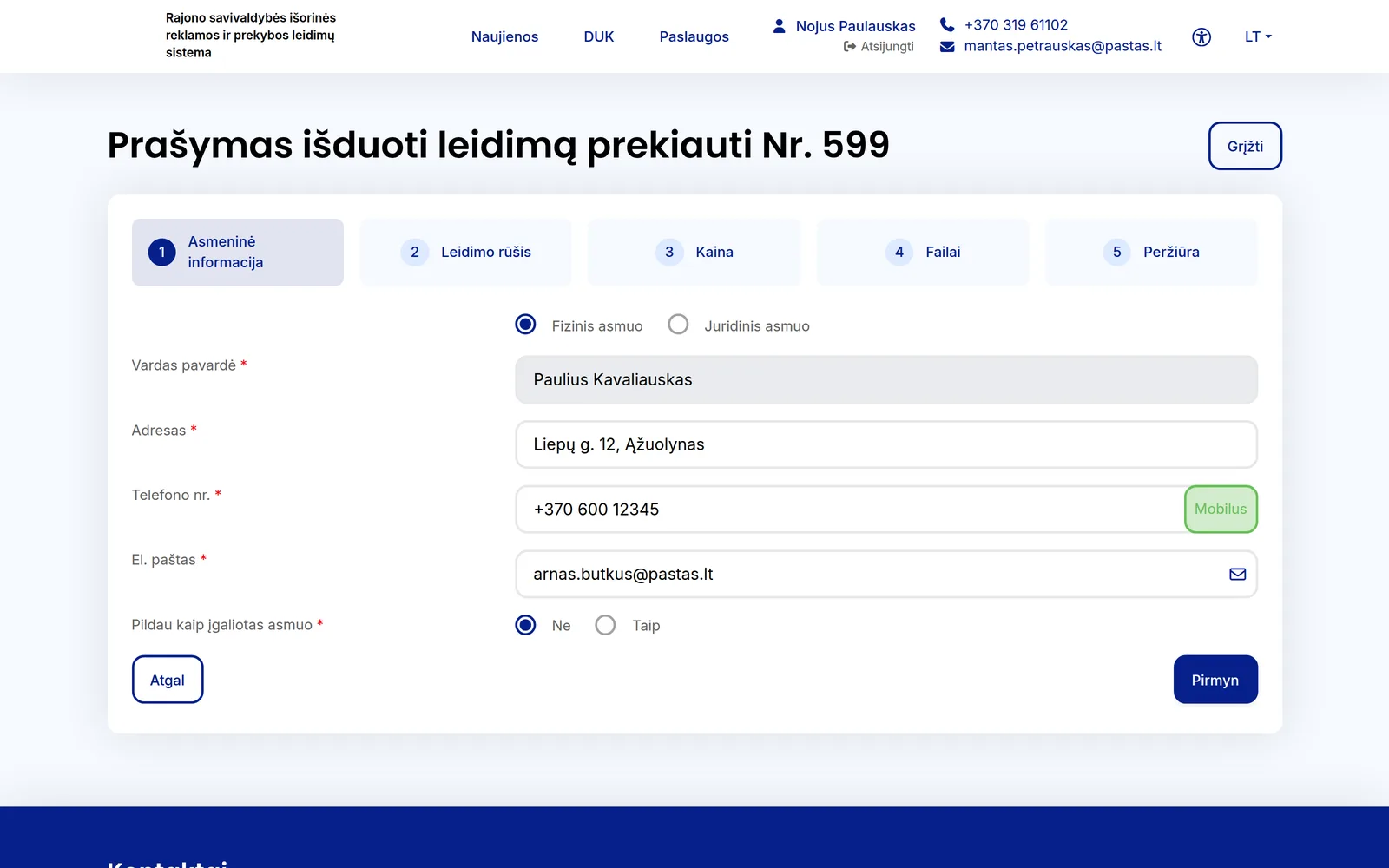
Filling in the application

The applicant fills in the application in a few steps.

  • Personal details, permit type, price, files, review
  • Natural or legal person; can be filled in on behalf of an authorised person
  • Price based on location, area, period and discounts
  • Payment via the e-Government Gateway or by bank transfer

Review and permit

Every step of the application is recorded in its history.

  • Approve, return for clarification or reject - with a comment
  • The advertising design is reviewed first by the editor, then by the architect
  • Once paid, the permit is generated from a template as a PDF document
  • The permit can be extended, suspended or revoked

Applicant account

All of an applicant's applications and permits in one place.

  • Application statuses and review progress
  • Issued permits can be downloaded as PDFs
  • E-mail reminder before a permit expires
  • Unpaid applications are cancelled automatically after a set number of days

Advertising zones

The city is divided into zones, each with its own rate.

  • Zones are drawn on the map
  • The price is calculated by zone, area and period
  • If the advertising location is outside the zones, the application cannot be submitted

Other modules

Trading pitches

Sites and pitches on the map.

  • Pitches with addresses and coordinates
  • Limits on the number of pitches
  • Import from a list

Events calendar

Fairs and festivals with their own pitches.

  • Event dates and type
  • Active trading pitches for the event
  • The applicant selects the event when filling in the form

Prices and discounts

Rates are changed without a programmer.

  • Prices by permit type and zone
  • Discounts and free-of-charge cases
  • Excavation work rates

Excavation permits

From application to completion of works.

  • Contractor details
  • Confirmation of completion of works
  • Reminders when the deadline has passed

Form builder

A new service - without programming.

  • Forms built from elements
  • Signing with an e-signature
  • In Lithuanian and English

Reports and feedback

How well residents are being served.

  • Reports to Excel
  • Feedback request after a decision
  • News, FAQ and user guides

Who it is for

  • For the municipality

    All permits, payments and reports in one system.

  • For elderships

    Applications and trading pitches in their own area.

  • For business

    Trading, service, advertising and excavation permits online.

  • For residents

    Selling home-grown produce and fairs without paper.

Integrations

Document management system

Permits can be registered in your document management system.

E-signature

Applications are signed with an electronic signature.

Frequently asked questions

Didn't find an answer? Write or call us - we'll be happy to help.

Permits for trading and providing services in public places, trading at fairs and events, outdoor advertising and excavation works. Other types can be added if needed.

According to rates set by the municipality: pitch or zone, area, period and discounts. The applicant sees the price before submitting the application.

The applicant corrects the application according to the staff member's comment and resubmits it - the same application goes back for review.

Once paid, the permit is generated as a PDF document. The applicant receives an e-mail and downloads the permit from their account.

Yes. A staff member enters the application on behalf of the applicant, and it is then reviewed just like one submitted online.

We will show you how permits are issued online

In a short demo we will show filling in an application, its review and permit issuance, and discuss which permit types need to be adapted.

+370 657 58414